Compatible with Cambox V3+

Your Cambox V3+ is back in action.

Cambox closed and its app disappeared from the App Store and Google Play. Caméra Casque takes over: the free app for live preview, recording, gallery access, and camera settings on iPhone and Android.

  • Free
  • No account
  • No ads
  • Open source

Why this app exists

  1. The official app disappeared

    With Cambox closed, the app is no longer downloadable, and new phones can’t install it anymore.

  2. Your camera still works

    The Cambox V3+ still records. It only needed a way to be controlled from your phone.

  3. Caméra Casque takes over

    An independent app, compatible with the Cambox V3+, rebuilt for iPhone and Android and released as open source to last.

Features

Everything the Cambox app did.
Made simpler.

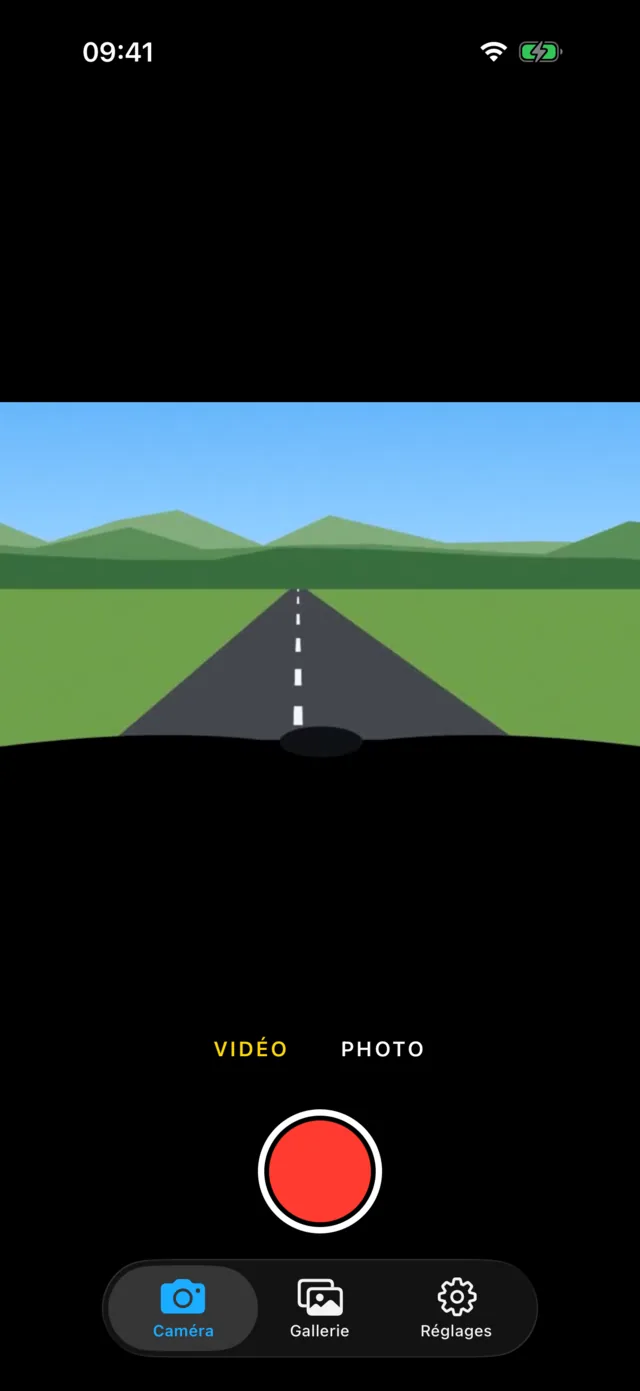
Caméra Casque camera screen: live preview of a Cambox V3+, video/photo selector, and record button

Frame it live.

See exactly what the camera is filming while you adjust the angle under your visor. Start a video or take a photo from the phone with haptic feedback on every tap.

  • 16:9 video frame, full image in photo mode
  • Recording timer
  • Detects recordings started from the camera button
Caméra Casque gallery screen: videos and photos from the Cambox V3+ SD card

Your videos, just like in Photos.

Browse the SD card in a familiar grid that shows the visible period. Swipe from one video to the next, then save, share, or delete either a single item or an entire selection.

  • Save directly to Photos
  • Duration, size, and location of each file
  • Multi-select and bulk delete
Caméra Casque settings screen: Cambox V3+ settings menu, video resolution, file duration, WDR, and WiFi settings

Every setting in the right place.

Resolution, file duration, WDR, exposure, white balance, auto power-off, camera name, WiFi password. The app reads the options your camera exposes and only shows the ones it accepts.

  • Battery level and firmware version
  • Automatic camera time synchronization
  • Format SD card and reset
Caméra Casque help screen: built-in Cambox V3+ user manual

The manual in your pocket.

Buttons, lights, connection, mounting, charging, troubleshooting: the essentials of the user guide are built into the app and remain readable without a connection.

  • Readable even when the camera is off
  • Light and dark mode
  • No data sent to the internet

The compatible camera

Cambox V3+.
Made for the helmet.

Designed and assembled in Clisson near Nantes, the Cambox V3+ clips by velcro under the visor without drilling or modifying the shell. Its boomerang shape follows the helmet and stays nearly invisible.

Video
2K at 30 fps
1080p and 720p at 60 fps
Lens
135° wide angle
Sony 10 MP sensor
Framing
35° tilt
From horizon to handlebars
Format
17.5 mm, 47 g
Compatible with 99% of helmets
Sound
Stereo microphone
AAC audio
Power
About 70 min
USB-C for an external battery

Install

Install Caméra Casque.
Ready in two minutes.

iPhone

Via TestFlight, Apple’s app for software distributed outside the App Store. iOS 16.4 or later. Compatible with Cambox V3+.

  1. Install TestFlight from the App Store.
  2. Open the invitation link below on your iPhone.
  3. Tap Accept, then Install.
Open the TestFlight invitation

Updates arrive automatically through TestFlight.

Android

APK file published on GitHub. Android 8 or later. Compatible with Cambox V3+.

  1. Download the APK with the button below.
  2. Open it and allow your browser to install apps if Android asks.
  3. Tap Install.
Download the APK

Previous versions stay available on GitHub.

Then connect the camera

  1. Power it onHold the On/Off button for 3 seconds. It vibrates: it is on standby.
  2. Enable WiFiShort press the WiFi button. The orange LED blinks quickly.
  3. Join its networkIn your phone’s WiFi settings: CAMBOXV3PLUS, password 12345678.
  4. Open the appThe orange light becomes steady. The live preview appears.

The phone tells you the network has no internet access? Choose to stay connected. On Android, turn off mobile data if the app does not find the camera.

Frequently asked questions

Good to know.

Where can I download the Cambox V3+ app?

The official app is no longer available since Cambox shut down. Caméra Casque replaces it: free, available on iPhone and Android, and compatible with the Cambox V3+. See Install.

The Cambox app no longer works, what should I do?

Install Caméra Casque instead. Nothing needs to be configured on the camera: join its WiFi network as before, and you get the live preview, your videos, and your settings back.

Is Caméra Casque the official Cambox app?

No. It is an independent project created by a Cambox owner for the community, with no link to Cambox Vision. It was rewritten from scratch based on the camera’s WiFi protocol.

Is my Cambox V4 Pro or V3 compatible?

The app is designed and tested with the Cambox V3+. Other models may use the same protocol, but nothing is guaranteed. If you try it, share the result on GitHub.

Why does the live preview pause during recording?

While recording, the camera only streams the image in RTSP over UDP, a format iOS does not allow without a special Apple permission. The app therefore shows the preview before and after recording, and a timer during capture. Frame it, then start.

Does the app collect my data?

No. No account, no ads, no analytics. The app only communicates with your camera on its own WiFi network. It only requests photo access when you record a video.

Can I update the camera firmware?

No, and it is not necessary: no update has been published and the app works with the original firmware (V1.26A). Do not install firmware from another camera, or you risk bricking it.

Why use TestFlight on iPhone?

An app that controls a product whose brand has disappeared cannot be published on the App Store by an individual. TestFlight, Apple’s beta distribution service, lets it be distributed simply and kept up to date.

I found a bug or a missing feature.

Open a ticket on GitHub. The code is open: contributions are welcome.